Stop doing legal acceptances wrong
TL;DR
Legal acceptances are bad but they don’t need to be if we follow a few default “correct” steps.
The process should look like this:
- For normal policy reading send users to a default webpage or blog-style interface (your legal hub)
- For new acceptances; (a) if within your app, use the pop-up module acceptance with a link to the dashboard acceptance. (b) if opened via email or otherwise, send them directly to the dashboard acceptance.
Since the most used frontend is react and the most used web framework is nextjs. I have made a package to do this the right way and you can install it from here
Why are legal hubs and legal acceptances bad
For starters each webpage has its own legal hub with a different interface. That is all good and well.
That is confusing when you have a lot of them but still up to here we are all ok.
Some basics of a good legal hub
See how it has policies listed, pdfs and other docs listed, and when you get in one you can
- Navigate to another legal policy within the same page (not going back and forth)
- Navigate to section from a right side or left side menu.
Another good example can be found here:
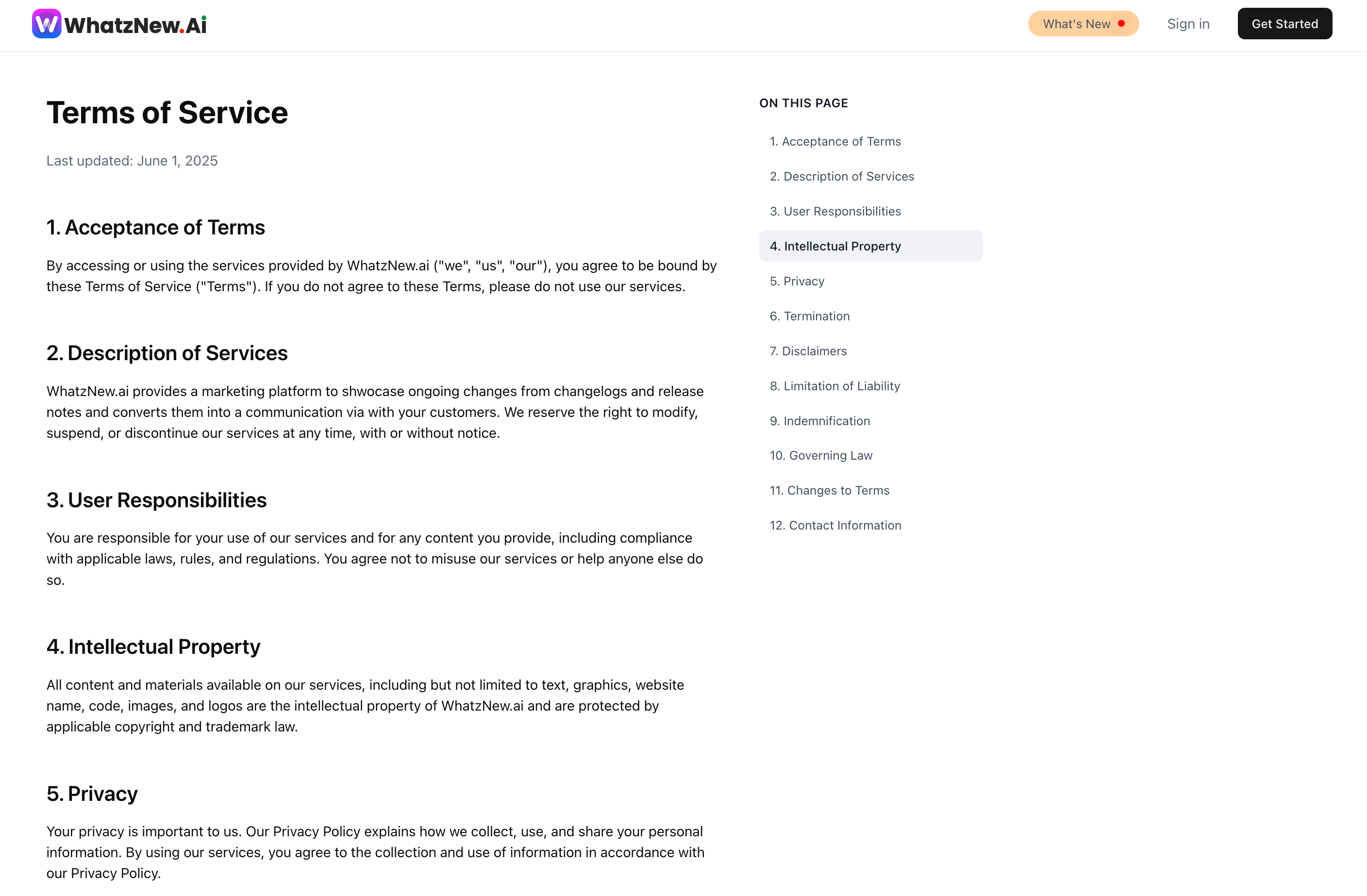
Right side in-policy navigation in a legal hub
Now we get to what it’s really bad.
New policy acceptances.
Usually it goes something like this:
- (1) a new policy is created or updated
- (2) the company sends over an email with something like “a new policy requires your acceptance”.
- (3) you go to the page and read the whole new policy or whole policy with the update.
- (4) and accept.
If a company is nice it explains in the update what has changed.
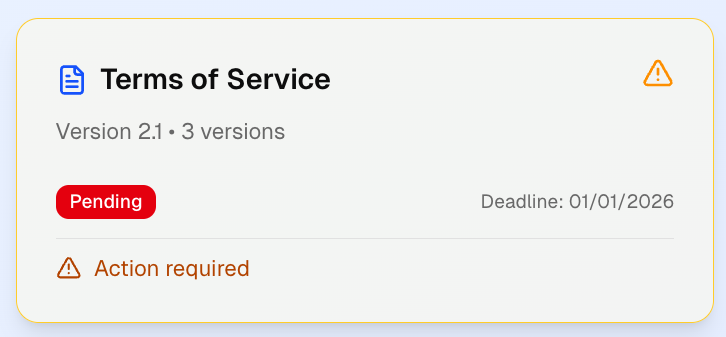
See how much information it has on that policy?
But most companies don’t. Heck! Some even include irrelevant stuff like things that not affect your jurisdiction as they might be jurisdiction-dependant.
Sometimes, especially on updates, you can only see the new document. So you either printed the old policy or you don’t know what has changed. And usually it contains the whole policy. Even if only 1 line has changed. That’s inconvenient.
And it is also not good.
So, if everyone does whatever they want - what can we do?
What is the solution?
Well,…
Sane defaults
But sane defaults are difficult because how do we agree on them without arguing on what is correct, what is not, and then how should we go about doing it. Everyone will have an opinion. Because this is a very simple problem, I’m going to bypass the whole arguing, and debating and propose how that flow should look like.
- For normal policy reading send users to a default webpage or blog-style interface (your legal hub)
- For new acceptances; (a) if within your app, use the pop-up module acceptance with a link to the dashboard acceptance. (b) if opened via email or otherwise, send them directly to the dashboard acceptance.
People prefer to see things quick where they are in your app; and if the changes are small can be done with it then and there. Otherwise, it is a whole new action (flow) the user must go through and most users want to use the whole real state of their screen to do that.
Agreeing on a default style of a legal hub would be great but that is a stretch. As long as policies are readable and printable (correctly printed please) we can allow a lot of creativity here.
Let’s keep going.
For the updates which is where most of the “wrong” is:
- (1) send people to jurisdiction-relevant pages. Don’t add all jurisdictions with all their jurisdiction-related legalise.
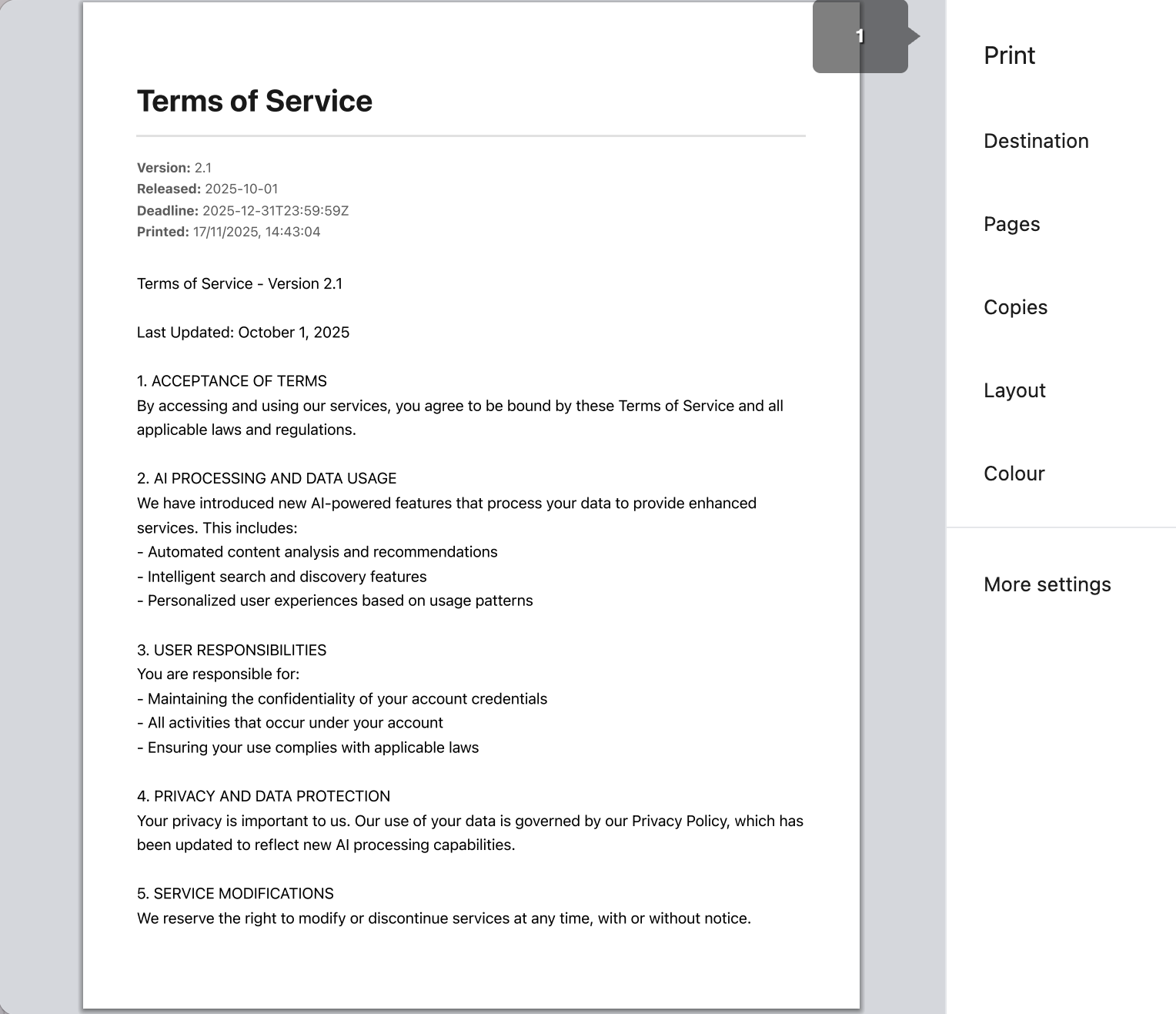
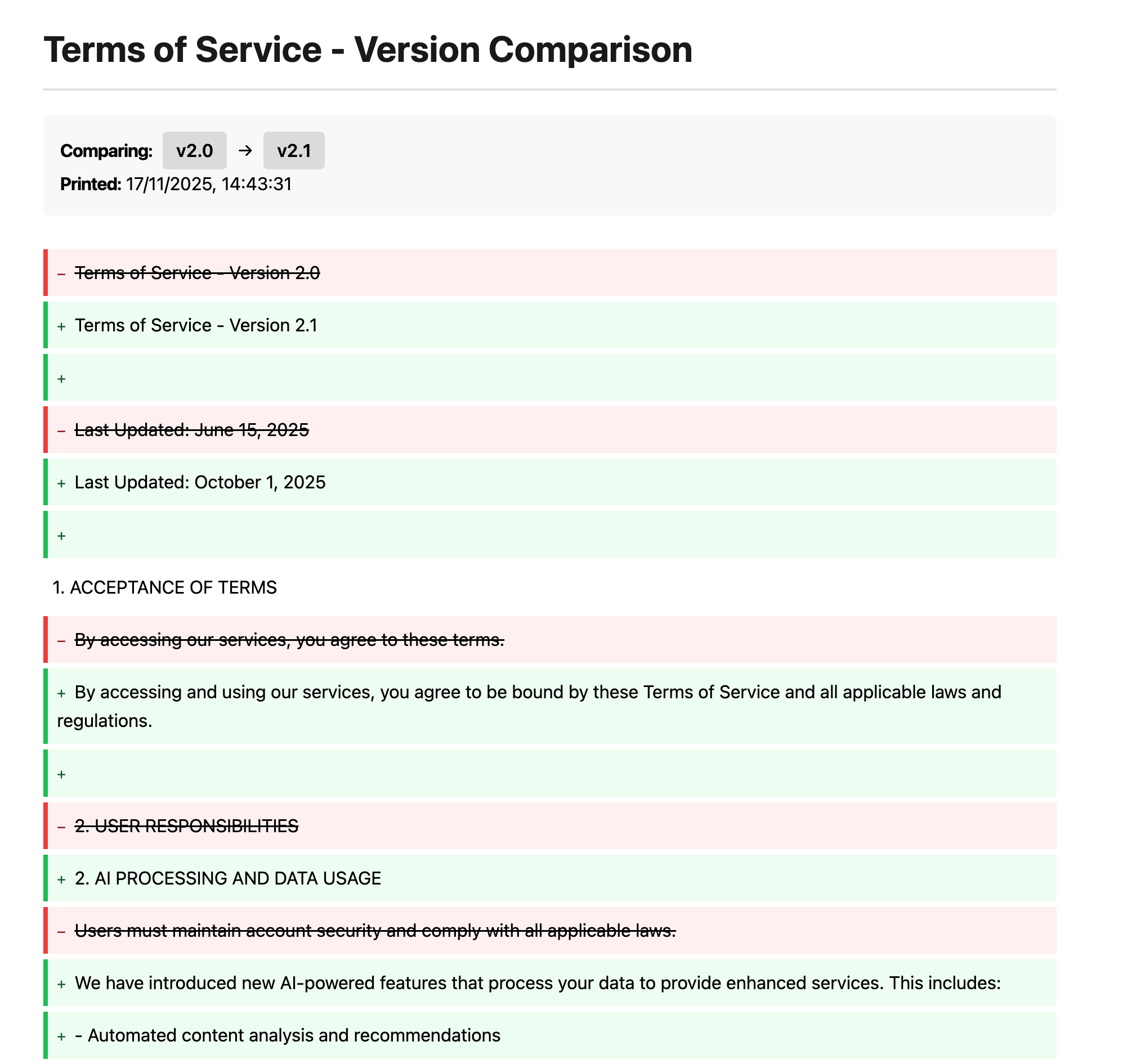
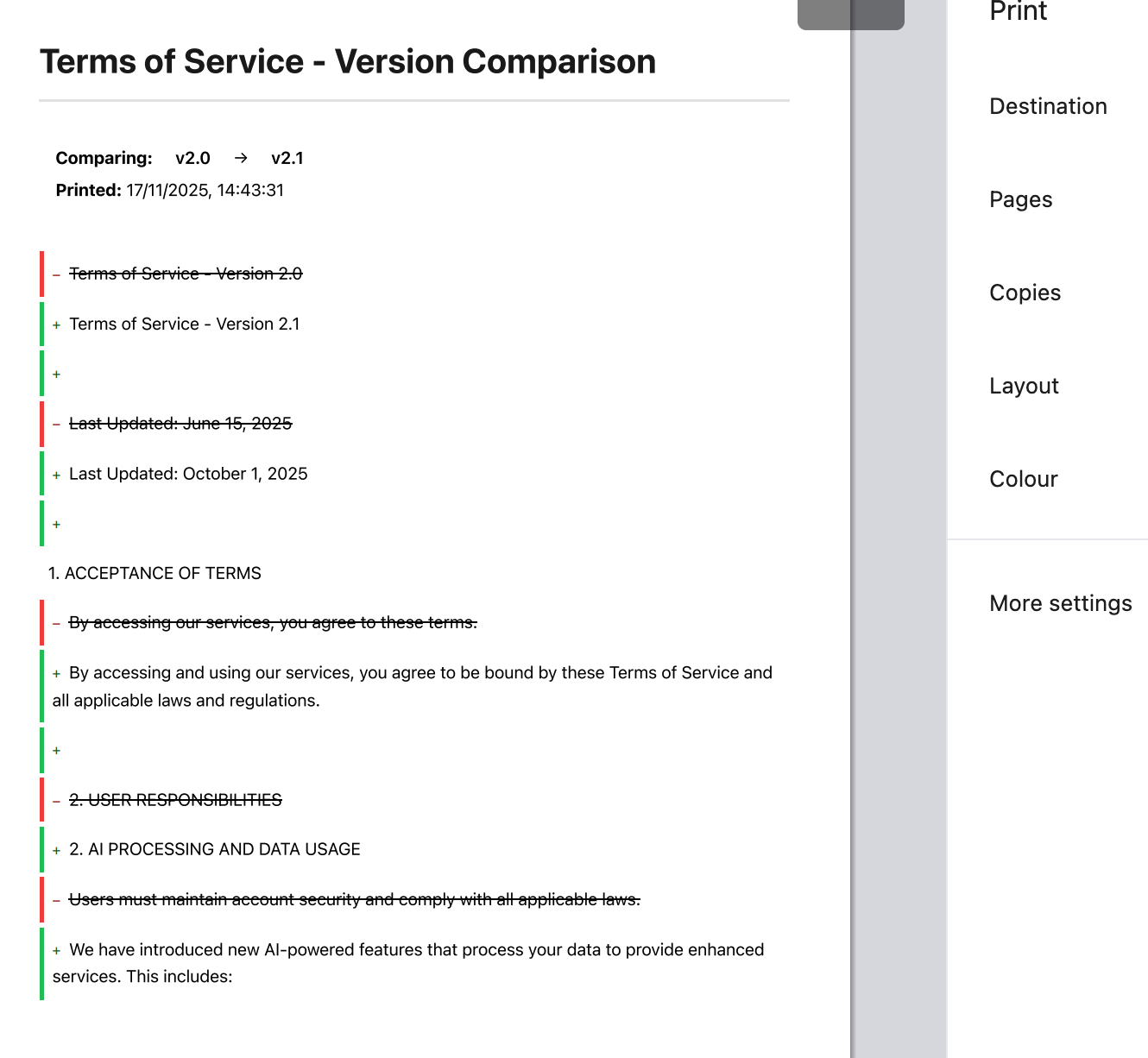
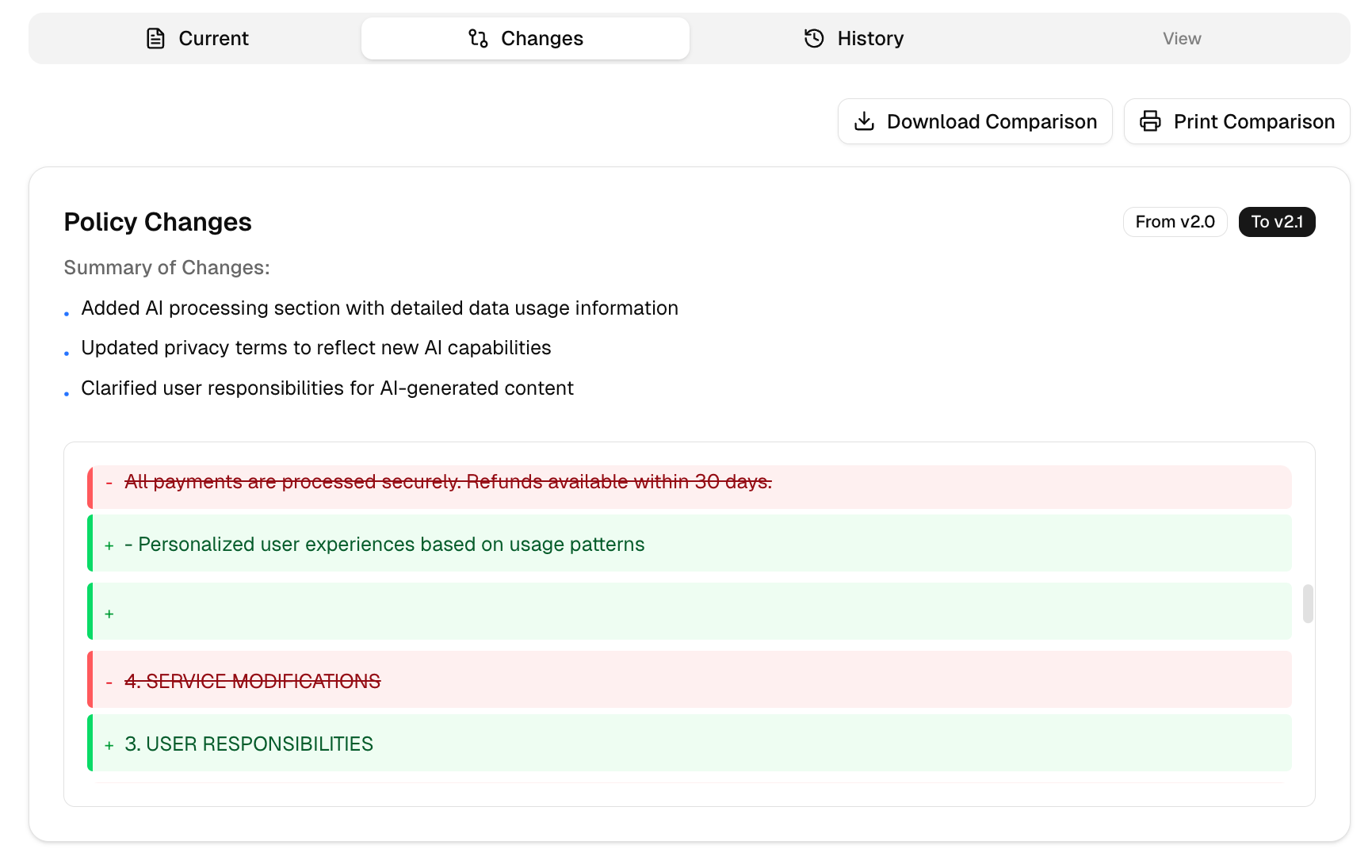
- (2) do a diff between policies.
- (3) allow users to track changes overtime; what they have accepted and what has changed.
- (4) allow downloads of everything; initial policies, corrections, and diffs (yes! diffs should also be printable). Accepted or unaccepted, some people prefer reading in print.
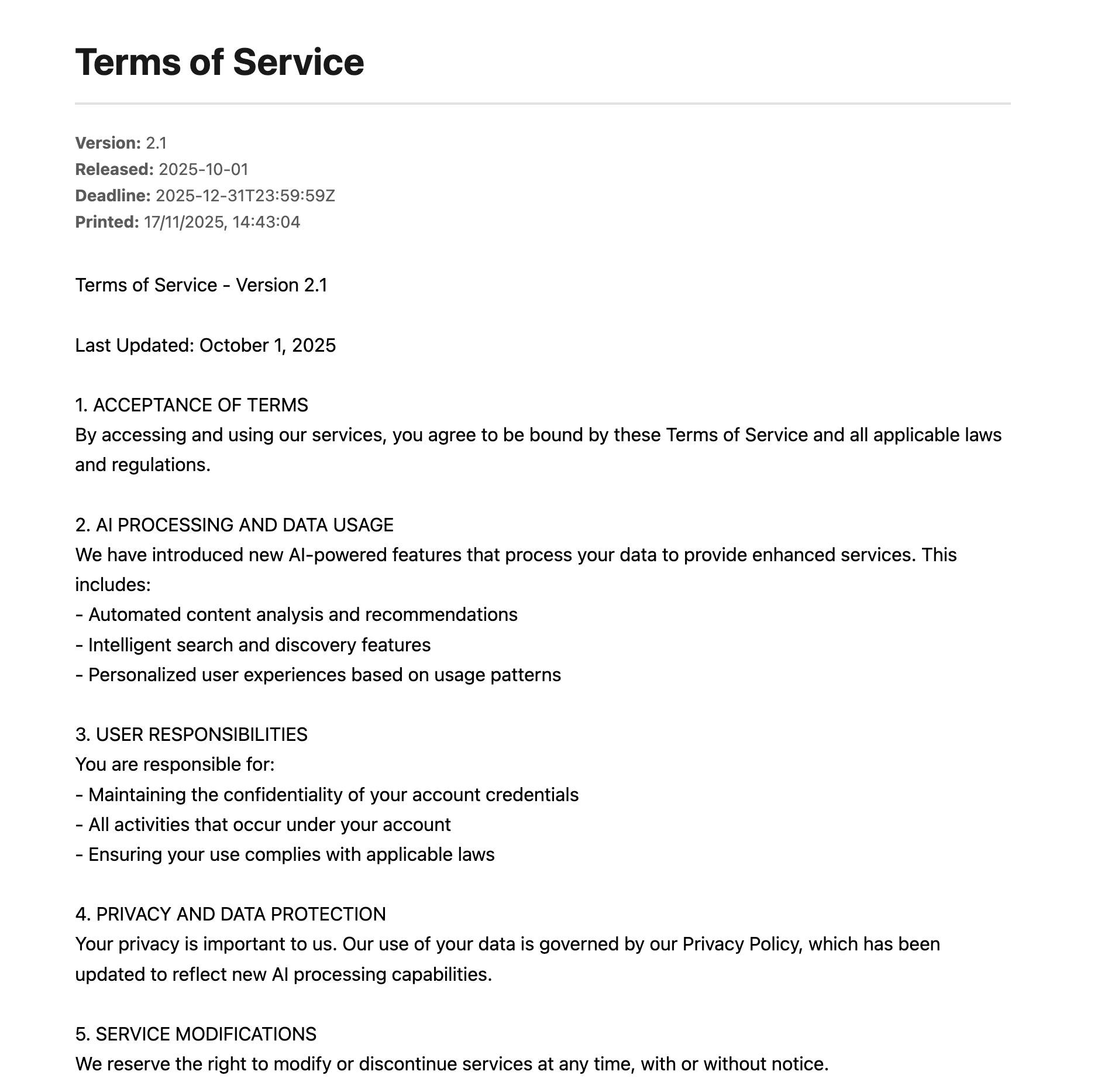
But that’s a lot of work. And we know most companies would not put in the effort for that to happen. And I agree. That’s why I made a
Quick solution
This took a while but I wrote such acceptance flow for you or your company to install and drop-in in your project.
It does all the above.
Your job? Integrate it in the project. Feed it the documents. Link to it from notifications and from emails.
And that’s it. You get an acceptance flow users like (we checked!), that is not annoying, and that is built for your users convenience.
And you can get it here
Isaac AR